Create maintenance checklists using AI, process field data in SAP

Using AI, we create digital checklists from existing PDF forms and machine manuals. Technicians can record measurements, test results, and material consumption on the go – even within your existing field service app. This data can automatically trigger follow-up processes in SAP.

What SAP Can Achieve with the Data from a Good Checklist

TWO EXAMPLES FROM EVERYDAY WORK LIFE

A maintenance notification can be generated based on a measured wear value. Documented spare part usage directly affects inventory levels, which in turn can trigger a replenishment order. 


The key requirement is that SAP receives the entered information as structured data—not just as a PDF with free-text entries.

Select a use case
1 · Checklist entry

Service vehicle · SF-204

Measure brake disc thickness

During the inspection, the technician measures the brake disc thickness with a caliper and enters the reading.

23.6 mm
22.0 mm 28.0 mm

Minimum thickness: 24.0 mm

Below minimum thickness
Structured data for SAP
Equipment SF-204 Measurement 23.6 mm Minimum 24.0 mm

Move the slider to see how the resulting actions in SAP change.

2 · Processing in SAP

SAP creates a maintenance notification

SAP links the reading to the correct equipment, checks the minimum thickness and initiates the required follow-up action.

01
Create measurement document for equipment

23.6 mm is recorded against SF-204.

02
Check minimum thickness

23.6 mm is below the minimum thickness of 24.0 mm.

03
Create maintenance notification

The configured SAP rule creates a notification for a brake inspection.

The recorded measurement triggers the next maintenance action without anyone copying data from a report.

Interactive example using sample values, not connected to a live SAP system. The actions shown are based on configured SAP rules and processes.

Create digital checklists from PDFs and machine manuals in minutes

E-FORMS IMPLEMENTATION MADE EASY

Upload an existing PDF checklist or the maintenance manual for a new machine. The AI assistant uses this information to create an editable draft checklist in e-designer. Subject matter experts review the content, add rules, and approve the checklist.

Existing PDF checklists

Reuse inspection points, forms and existing response fields.

Excel forms

Use tables, input fields and existing validation logic.

Equipment manuals

Extract maintenance steps, limits and manufacturer instructions.

AI-powered creation

e-designer AI Assistant

Reads existing forms and equipment manuals and generates a structured draft with input fields, conditions and validation rules.

What the AI generates

Structured sections

Chapters, sections, subsections and individual inspection steps.

If/then logic

Conditional questions and fields that appear only when relevant.

Validation & required fields

Limits, plausibility checks and completeness validation.

SAP master data

Link orders and equipment to SAP data in e-designer and prefill fields automatically.

From an existing PDF checklist 2 minutes To an editable form draft
From an equipment manual 5 minutes To an editable maintenance form

A structured checklist with validation rules and machine-readable measurements.

The responsible team reviews and completes the AI-generated draft. In e-designer, forms can be updated, versioned and approved for mobile use without programming.

  • Conditional fields appear based on the selected answer.
  • Required fields and measurement limits are validated.
  • Recorded values are available as structured data for downstream SAP processes.
Maintenance checklist · Air handling unit Example
Equipment L-110 · Technical centre Prefilled from SAP master data
1   Filter unit
1.1   Filter differential pressure 185 Pa

Limit from maintenance instructions: 150 Pa

1.2   Filters replaced? Yes
1.2.1   Filters used 2 pcs

If "Yes" is selected, the quantity field appears.

2   Functional check
2.1   Fan operation OK
2.2   Visual inspection Completed
Completeness check 5 of 5 required fields
Structured values for SAP
185 Pa → Measurement document / limit check
2 filters → Material consumption / inventory management

Creation times from internal e-switch tests refer to the first editable draft. Technical review, approval and SAP integration follow separately. The form shown is an illustrative example.

What's Changing for Your Teams

BENEFITS FOR YOUR BUSINESS

Technicians document their work once. The departments can use this information to continue working directly in SAP—for example, when dealing with deviations from threshold values or material consumption. IT and Purchasing do not necessarily have to replace the existing mobile application to do this.

For technicians and operational teams

Guided checklists with required fields and threshold checks can be created in seconds. Photos, measurement values, and signatures are recorded directly in the field. The report is generated from that same data.

For Maintenance Leadership and Executive Management

Measured values can trigger notifications. Material consumption data can support SAP inventory management and replenishment. The recorded data is available for analysis and follow-up processes.

For IT and Procurement

Existing field service apps can remain in use. Forms can be managed centrally, predefined SAP actions reduce the need for custom form and interface development.

The three components of the e-forms Suite for creation, editing, and documentation

The three building blocks can be used together or seperately. Depending on the existing system landscape, individual tasks can also be integrated into applications already in use.
e-designer

CREATE & MANAGE

Create draft checklists from PDFs and manuals. Departments can customize fields and rules using drag-and-drop and manage approved versions.
e-forms

RECORD & VERIFY

Technicians use mobile devices to work through their checklists, record measurement values, material usage, photos, and signatures, and receive notifications when information is missing or implausible.
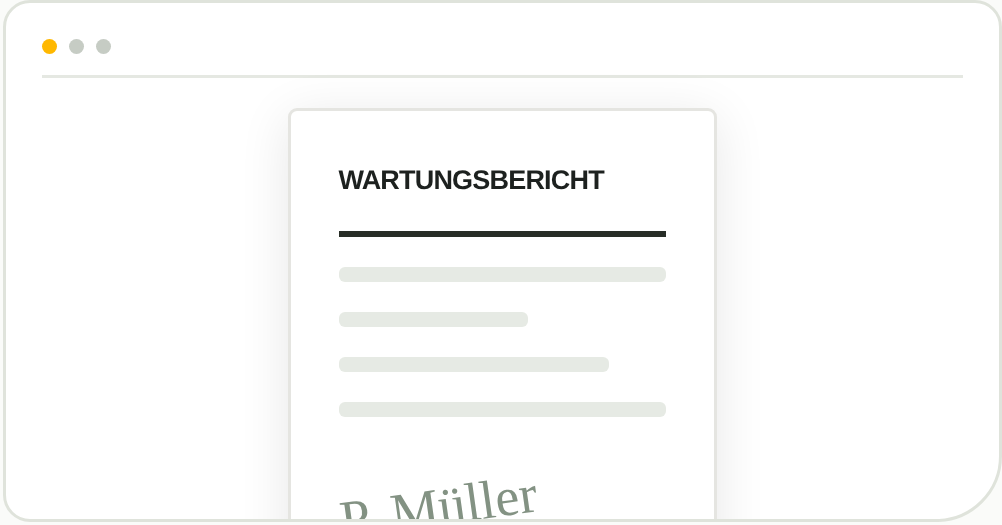
e-report

REPORT CREATION & ARCHIVING

Automatically generate maintenance reports as PDF files using Word templates, send them via email, and archive them in the integrated document management system.


Continue using the existing field service app and process form results in SAP

INTEGRATION WITH EXISTING APPLICATIONS

Are you already using Salesforce Field Service or another mobile application? The e-forms Suite can provide centrally managed checklists within those applications and transfer the completed results to SAP EAM. Your technicians don't need to switch to a new app to do this.

  • Create, edit, and version checklists centrally in e-designer
  • Deploy them in our e-companion or existing field service apps
  • Link results to SAP orders, equipment, and functional locations
  • Trigger measurement documents, maintenance notifications, and further SAP processing based on defined conditions

Detailed Description

e-forms in Detail

Here’s what the app includes:

A variety of useful features ensuring maximum flexibility and optimal usability. See for yourself:

Create and manage checklist templates

  • Create any kind of checklist, e.g., inspection, maintenance, service reports, testing, and acceptance protocols
  • Templates are created and managed with the e-designer
  • Checklists can be linked to orders, technical locations, equipment, maintenance plans, or plan items

Dynamic Checklists

  • Changes to templates are automatically updated on mobile devices
  • No mobile-side programming required

Form Design Elements

  • Text and text blocks
  • Numeric values
  • Date and time fields
  • Checkboxes and radio buttons
  • Dropdown lists
  • Barcode fields
  • GPS position
  • Electronic signature
  • Photos and sketches
  • Email fields

Checklist Entry

  • Plausibility checks, e.g., minimum/maximum values for numeric fields
  • Completeness validation for input
  • Context-dependent display of fields
  • Mandatory and optional fields
  • Pre-populated fields with existing master data

Sending and Storing a Completed Checklist

  • Automatic generation and email delivery of PDF reports based on Word templates
  • Support for distribution lists
  • Custom storage in DMS based on configuration

Data Analysis

  • Checklist values stored in SAP
  • Evaluation of checklists in SAP

Interfaces

  • e-forms can be used as a standalone application
  • or as an integrated add-on for the e-companion product

Intelligent SAP Integration

e-forms is connected to your SAP system via a flexible data engine. This allows fast and easy adaptations and extensions – offering you a level of independence you’ll soon come to appreciate.

Everything from a Single Source

Learn more about our product suite – and how you can profitably use e-forms in your company alongside other tools.


Intelligent SAP Integration

e-forms is connected to your SAP system via a flexible data engine. This allows fast and easy adaptations and extensions – offering you a level of independence you’ll soon come to appreciate.

Everything from a Single Source

Learn more about our product suite – and how you can profitably use e-forms in your company alongside other tools.

Advantages of e-forms

With e-forms, you digitize paper checklists and forms within the SAP environment. The solution enables dynamic completion, automatic synchronization, and full process integration – for more efficiency, fewer errors, and transparent documentation.

e-designer

Digital Checklists Made Easy

With e-designer, you can create custom checklists and forms via a drag-and-drop graphical interface. It provides a wide range of prebuilt components, e.g., signatures, photos, text blocks, and task instructions. The best part: e-designer is fully integrated into your SAP landscape.


Detailed Description

e-designer in Detail

  • The e-designer is an extension tool for our mobile app e-forms.
  • Use it to easily create simple or complex checklists and forms.

Administration & Management

  • All configuration and management is done through the e-designer interface.
  • Validated checklist templates are stored directly in SAP.
  • Data storage and workflow control is centrally managed in SAP.
  • Reports are archived long-term in SAP.
  • Checklists can be linked to orders, technical locations, or equipment.

    Checklist Delivery

    • Automatic generation and email dispatch of PDF reports
    • Support for email distribution lists

    Structure Functions

    • Use section and group elements to structure your checklists

    Building Blocks

    • A wide variety of ready-made blocks are available for designing your checklists.

    Form Logic

    • Use if-then logic to control form behavior based on context Sections can be shown/hidden dynamically
    • Check for input completeness
    • Pre-fill fields with existing master data

    Preview

    • Preview feature lets you test and visualize your forms and checklists

    Reports with MS Word Templates

    • Customize report templates using MS Word

    e-report

    Our Document Generation Solution

    e-report enables easy form creation based on Word templates. It maps your SAP data into documents and forms – serving as an alternative to SAP SmartForms or Adobe Forms. e-report includes DMS integration and email dispatch. It integrates with e-forms and e-companion, but can also be used independently.


    Features

    at a Glance

    Template Creation

    • Templates can be created by end users in MS Word
    • Direct linking of templates to SAP objects

    Variable Mapping & Data Integration

    • Variables replaced using the Data Engine
    • Supports batch processing

    Document Creation & Dispatch

    • PDF documents generated automatically
    • Integrated email dispatch of reports
    • Documents stored in the document management system (DMS)

    Full integration with:

    • e-forms (e.g., checklist reports)
    • e-companion (e.g., deployment reports)

    Standard solution for mobile processes

    • Ideal for mobile order and checklist handling
    • Preconfigured SAP data sourcing

    Alternative to SAP SmartForms / Adobe Forms

    • Flexible and cost-efficient solution
    • No additional SAP form development required

    Intelligent SAP Integration

    e-report is integrated into SAP via the Data Engine.

    This allows for easy adjustments, quick implementation, and seamless integration into existing SAP processes.

    Advantages of e-report

    e-report enables simple creation, management, and archiving of SAP documents based on Word templates – fast, flexible, and efficient.

    Take the Next Step Towards Efficiency

    We'll show you how easy mobile SAP solutions can be.

    Seize the opportunities of digitalization and sustainably optimize your service and maintenance processes. With our mobile solutions and expertise, we support you on the path to more efficiency, transparency, and competitive advantage. Make the difference now!


    Panel only seen by widget owner